
⚙️ Setup
⚙️ Easy Setup Guide: Follow These Steps to Configure Global Share and Start Growing Your Discord Community Effortlessly!
Step 1: Invite Global Share to Your Server
- Click the invite link.
-
Grant the required
Administratorpermissions.
Ensure permissions like managing messages, roles, and channels are enabled.
Step 2: Configure Your Advertisement Channel
-
Use the
/setupcommand to automatically create an advertisement channel.
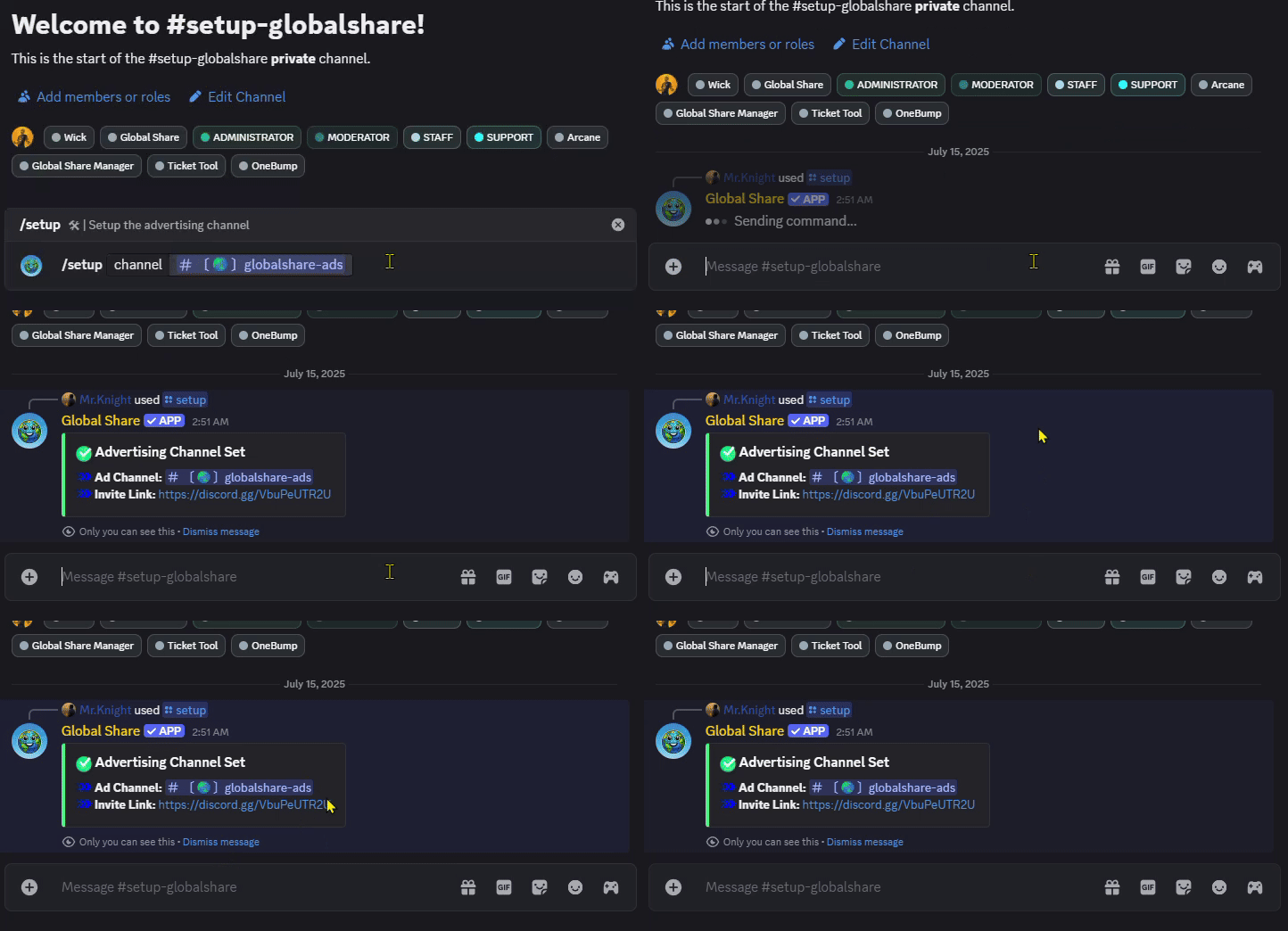
Do not keep the
advertisement channel
private from @everyone. If you do, you will
not be able to /bump your server.
Step 3: Write a Compelling Description
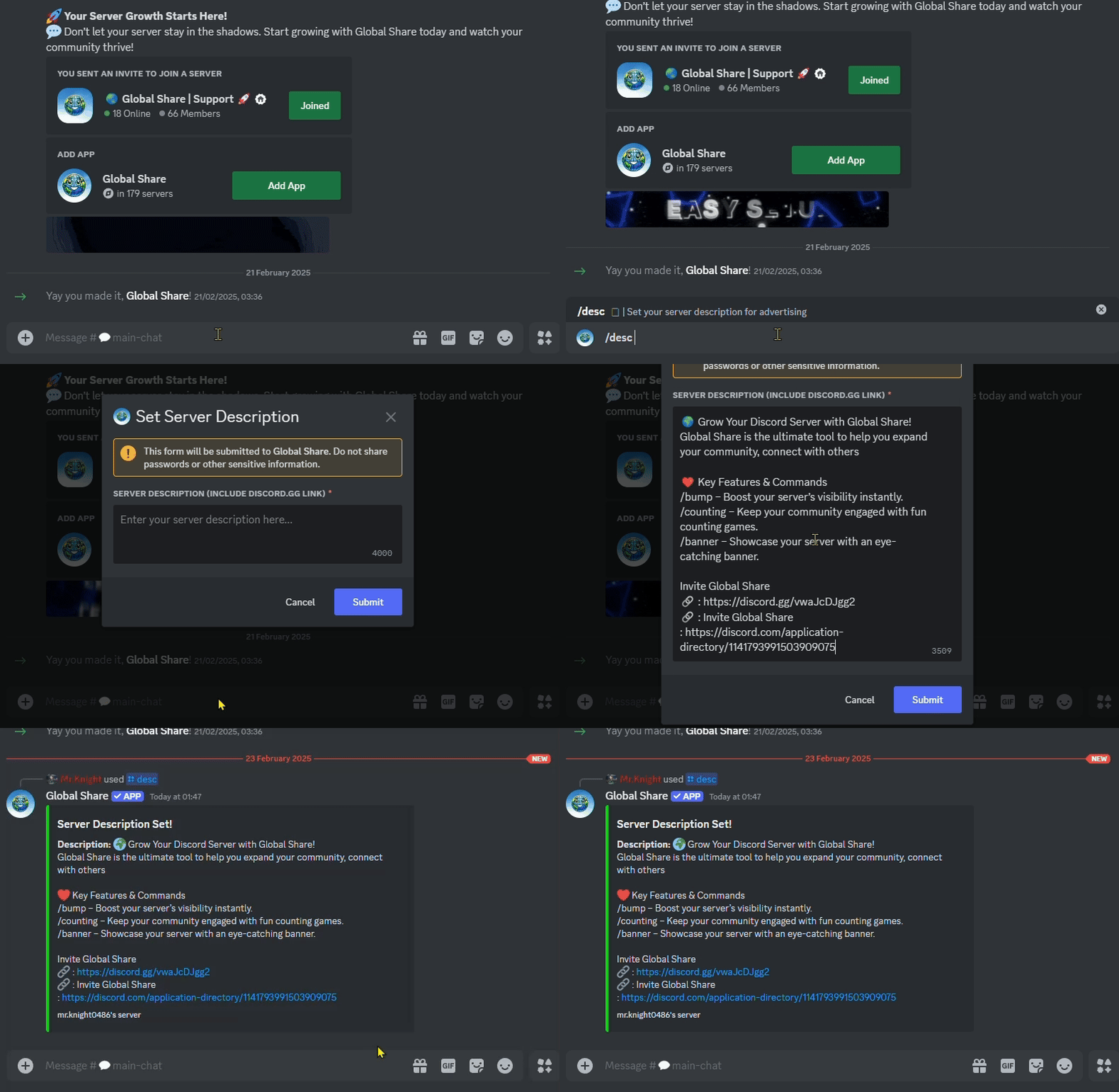
- Use the
/desccommand to write your server description. -
Example:
/desc Welcome to our Global Share Support! Join for giveaways.
Step 4: Start Advertising
-
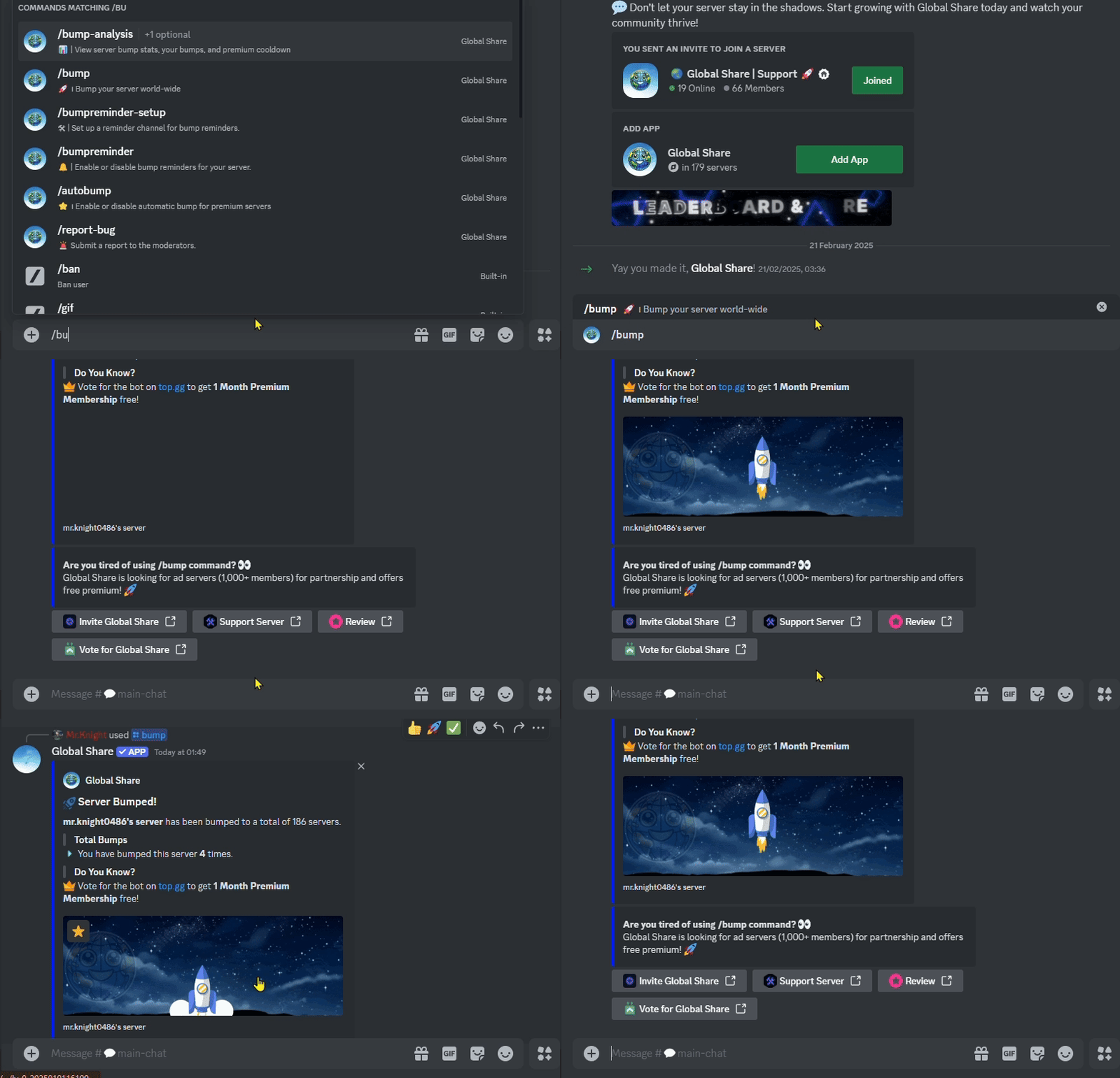
Once the setup is complete, use the
/bumpcommand to advertise your server across the Global Share network.
You can add tags for your server advertisement by using the
/tags command. To preview your server advertisement, you
can use the /adpreview command.
Bump Cooldown
For normal servers, the /bump command cooldown is set to
4 hours, and for premium servers, the /bump
command cooldown is set to 2 hours.
Make sure to use the
/bump command regularly to maximize visibility.
Note: We can ensure that your ad description & channel data is saved & secured. This is why the bot will easily
detect your ad channel/description . So, you don't need to create ad channel by yourself.
❓Want to make your advertisement look good?
With Global Share Premium, you unlock exclusive features designed to make your advertisements visually appealing and stand out in a community. Here’s how premium features can elevate your server's visibility and attract more members!
🌟 What Premium Offers?
Eye-Catching Banners: Add a custom banner to your
advertisement using the
/banner command.
Customizable Embed Colors: Personalize the look of
your advertisement with the
/color command.
Reduced Cooldown: The
/bump command
cooldown is reduced from 4 hours to 2 hours.
Auto Bump: Enable
autobump in your server.
@PREMIUM Role: Get the Premium role in the official server.
Extended Description: Use
/desc to set
your server advertisement up to 600 characters.
Learn more About Global Share Premium in premium Page.
Previous
← Features
Next
Premium →